
Login Error: Communication protocol mismatch between client and server

There are times when logging into NAV 2013 that you will be prompted for a username and password. But after entering the proper credentials, you receive an error prompt that says, “There is a communication protocol mismatch between the client and the server,” as shown below.
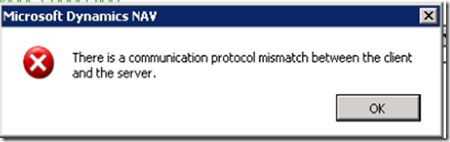
Figure 1 – NAV error prompt stating there is a protocol mismatch between the client and server
If you use Windows credentials, the system should not prompt for username and password. Instead, it should authenticate using your Windows domain credentials. So, if you ever see this error, then it is because of setting in ClientUserSettings.config file.
Cause:
The ClientUserSettings.config file is set to use NavUserPassword as the Credential Type
Resolution:
Open ClientUserSettings.config file and change the ClientServicesCredentialType to Windows.

Figure 2 – Line from ClientUserSettings.config file showing how to correct the protocol mismatch error
The default path for the file is
C:UsersAppDataRoamingMicrosoftMicrosoft Dynamics NAV70
For more information on topics related to Microsoft Dynamics NAV development, read the ArcherPoint Developer Blog, written specifically for Dynamics NAV developers, or contact ArcherPoint directly.
Trending Posts
- Login Error: Communication protocol mismatch between client and server
- How to Make Measures Total Correctly in Power BI Tables
- The Microsoft Technology Stack – What Is It & Why Should You Care?
- MRP vs. MPS: Choosing the Right Planning Approach for Your Manufacturing Business
- Creating a Date Table in Power BI
Stay Informed
Choose Your Preferences
"*required" indicates required fields